How Infra Works
A step by step guide to set up Namirasoft Infra
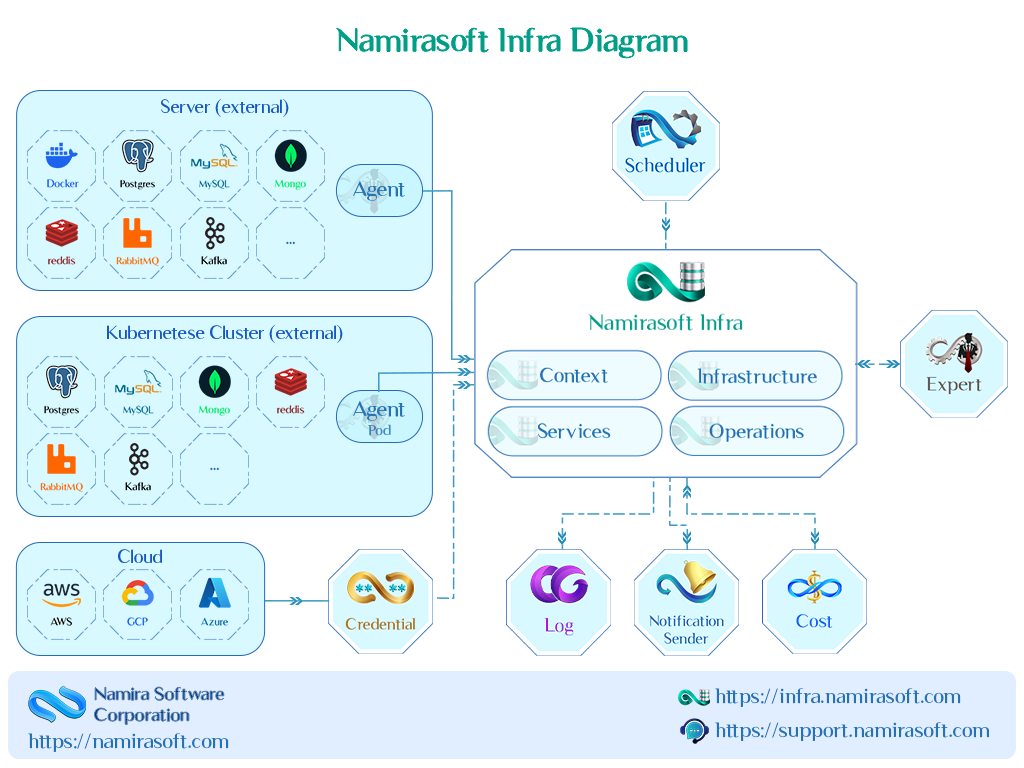
Namirasoft Infra connects your infrastructure resources and continuously collects their operational data, so you can monitor performance, track metrics, and receive alerts when something needs attention.
Once your infrastructure is connected, you can also connect Namirasoft Expert to investigate issues and run root cause analysis using the data Namirasoft Infra collects.
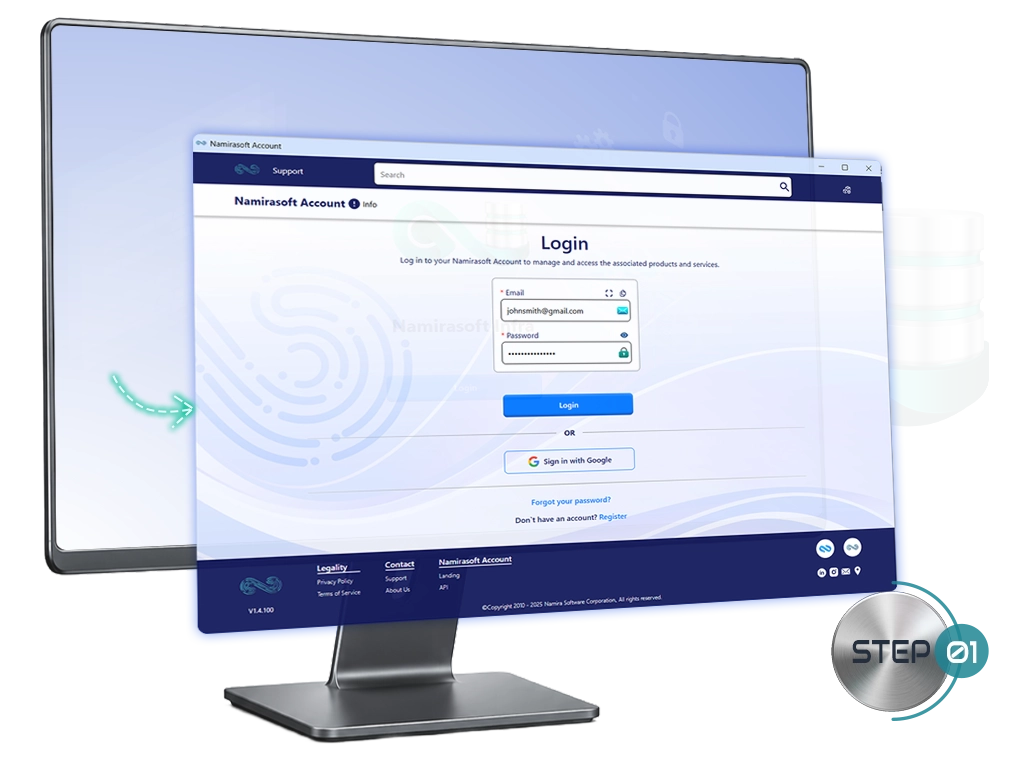
Step 1: Create a Namirasoft Account
Sign up for a Namirasoft Account to begin. This single account provides access to Namirasoft Infra and all other Namirasoft applications.
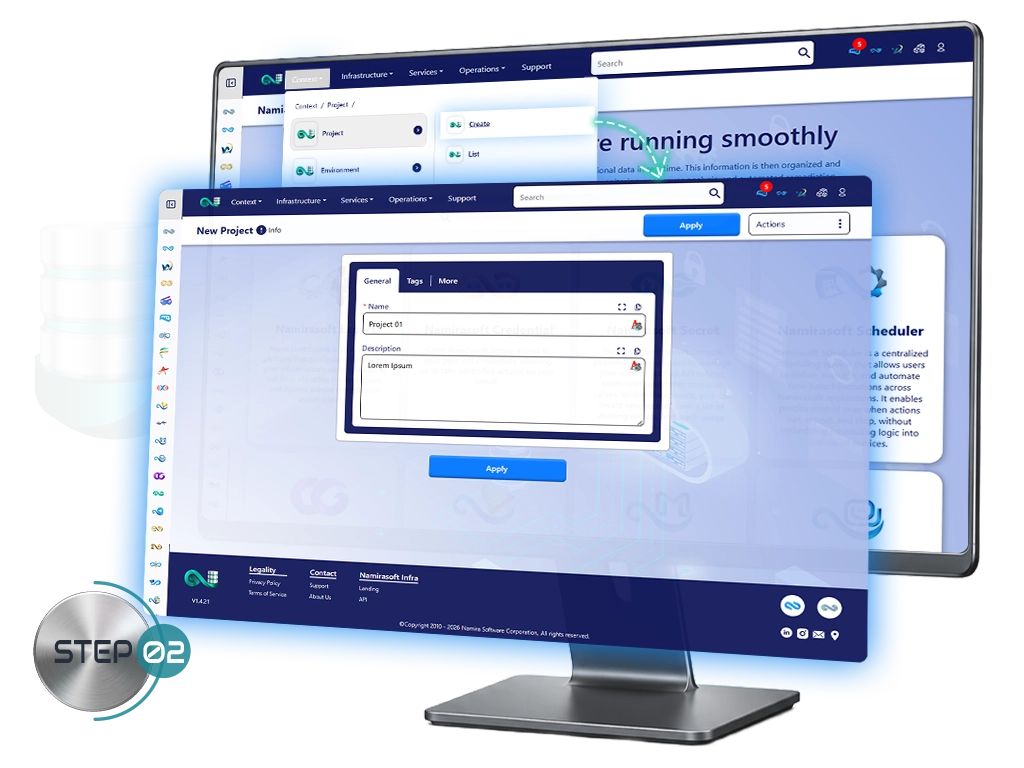
Step 2: Create a Project
Projects are used to organize your infrastructure resources.
Follow these steps:
-
In Namirasoft Infra, navigate to Projects.
-
Click Create Project.
-
Enter a Name for the Project.
-
(Optional) Enter a Description.
-
Click Apply.
Step 3: Create an Environment
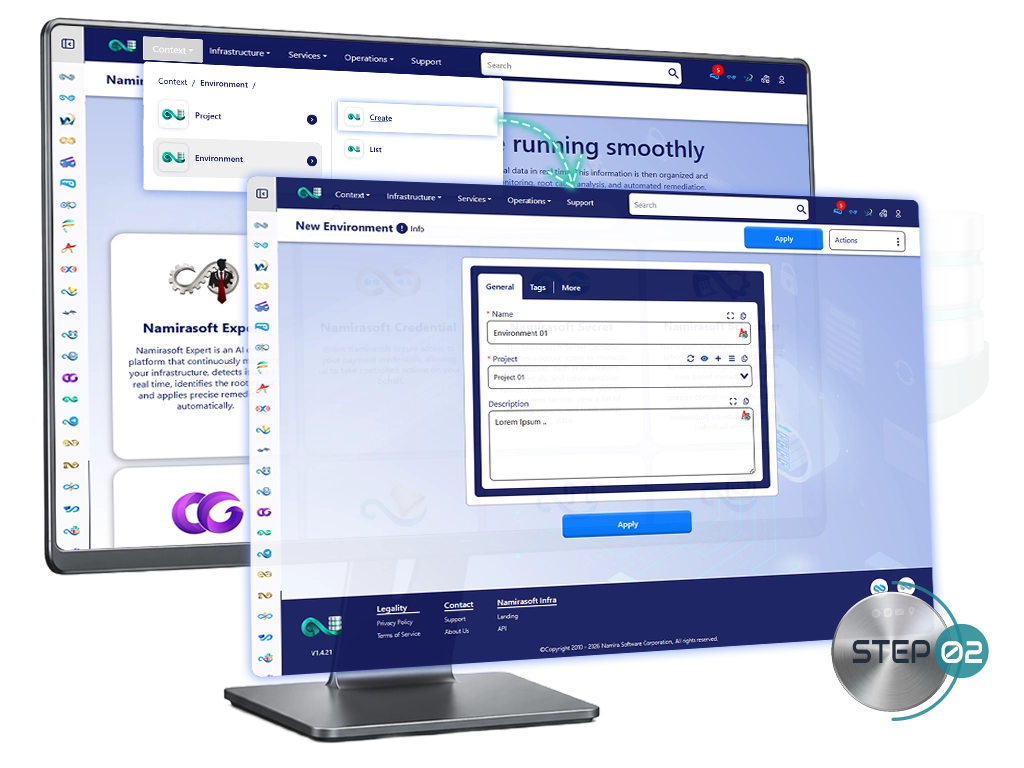
Environments represent operational stages.
Follow these steps to create an Environment within Namirasoft Infra:
-
Navigate to Environment.
-
Click Create.
-
Enter a Name for the Environment.
-
Select the Project where this Environment will be created.
-
Click Apply.
Step 4: Create and Select Log Group
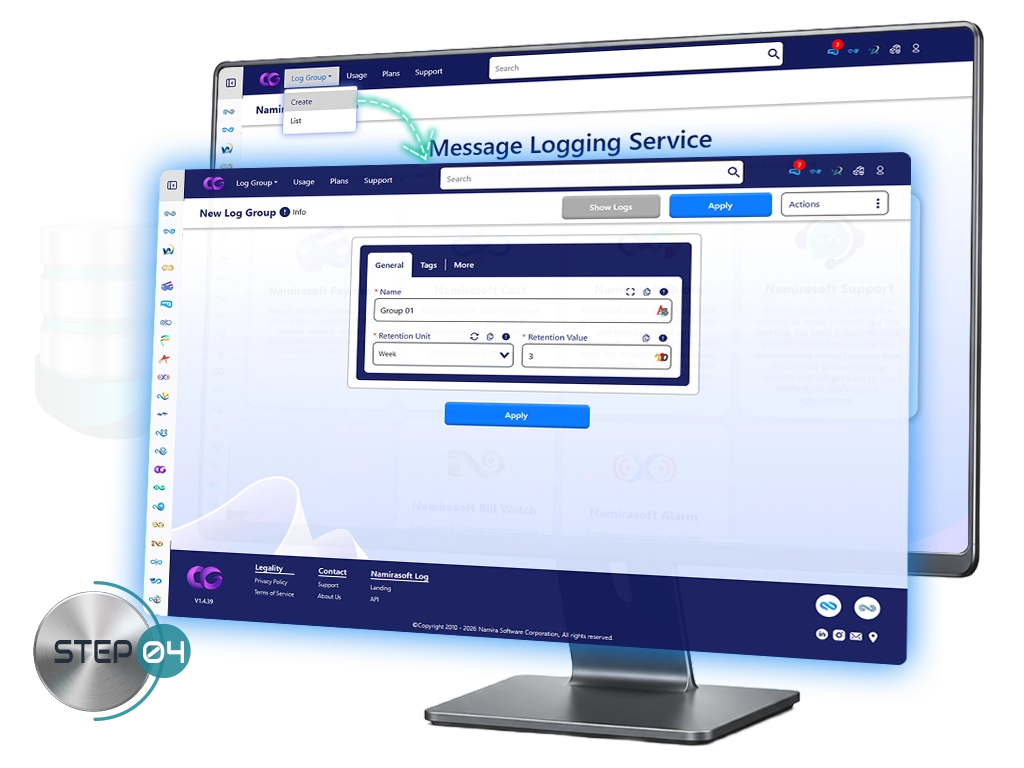
If you want to retain logs from your infrastructure resources, create a log group in Namirasoft Log.
To create a log group:
- Click the + icon.
- Enter a Name for the log group.
- Select the Retention UnitRetention UnitDefines the time unit used for log retention (e.g., hours, days, months). and Retention ValueRetention ValueDefines how long logs are retained based on the selected unit..
- Click Apply, then return to the Namirasoft Infra console.
Step 5: Connect Your Infrastructure
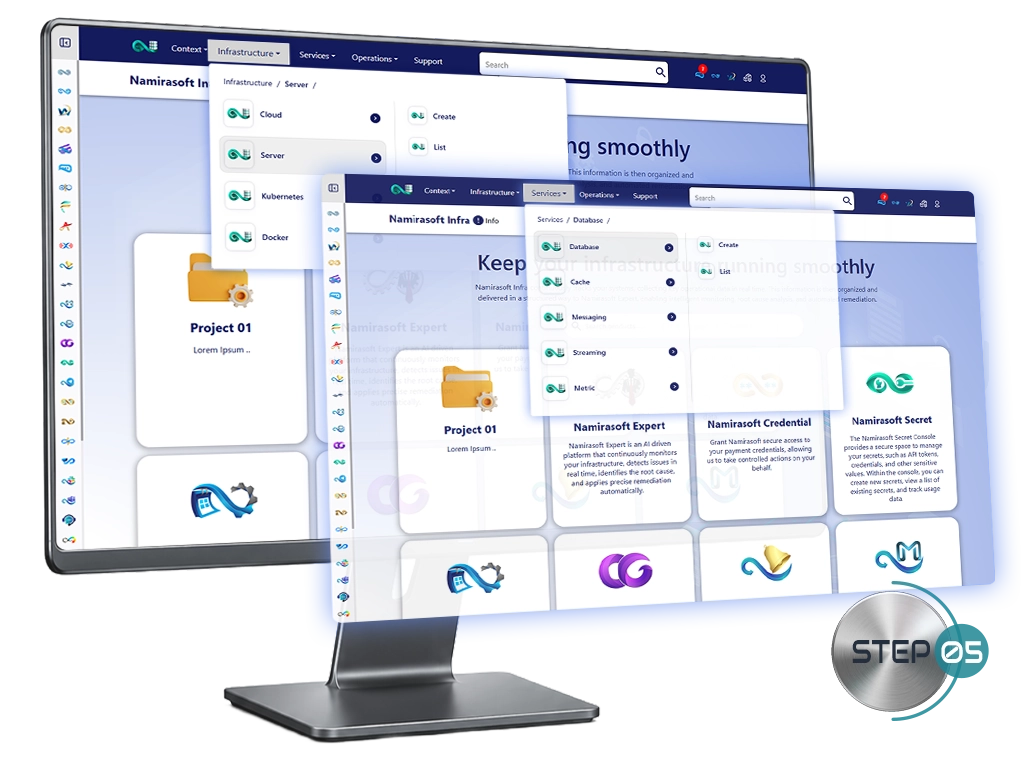
Now, you can choose what you want to monitor and configure only the resources required for your selected connection method.
Click on an available resource below to view its step-by-step setup guide.
Cloud
Coming soon
Kubernetes
Coming soon
Docker
Coming soon
Database
Coming soon
Cache
Coming soon
Messaging
Coming soon
Streaming
Coming soon
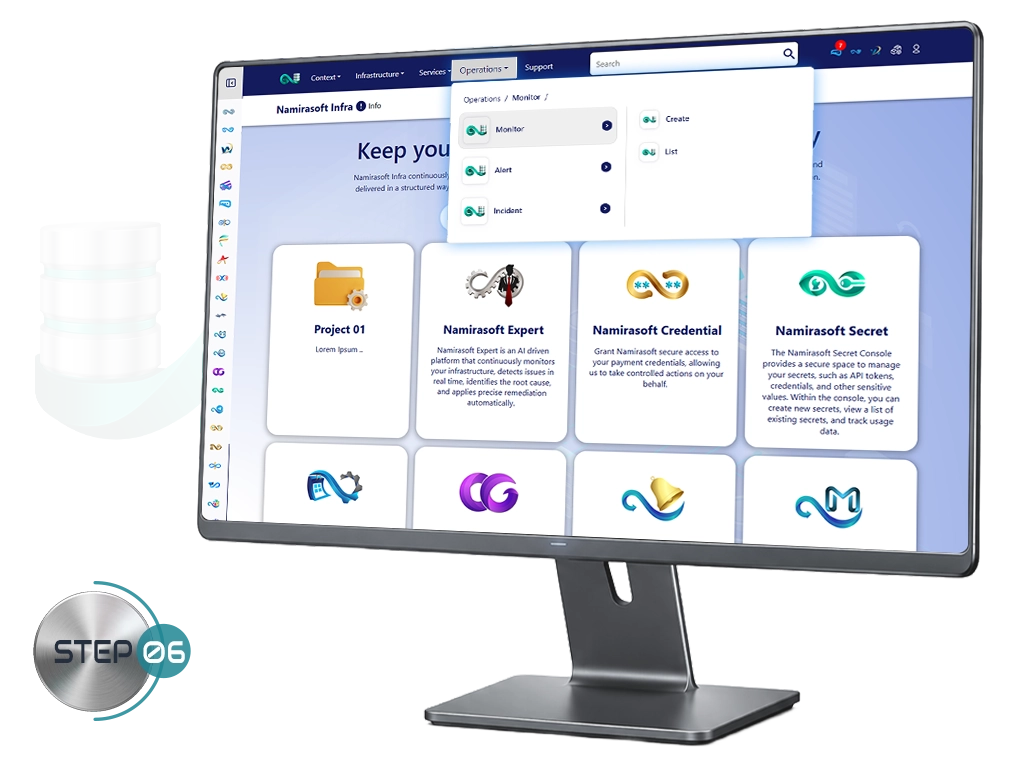
Step 6: Monitor & Alert Setup
Stay informed about your infrastructure by collecting key metrics, setting up monitors, and receiving alerts for important events. You can choose which components to configure based on your needs.
For step-by-step instructions, click on the corresponding guides below:
Monitor
Coming soon
Metric
Coming soon
Alert
Coming soon