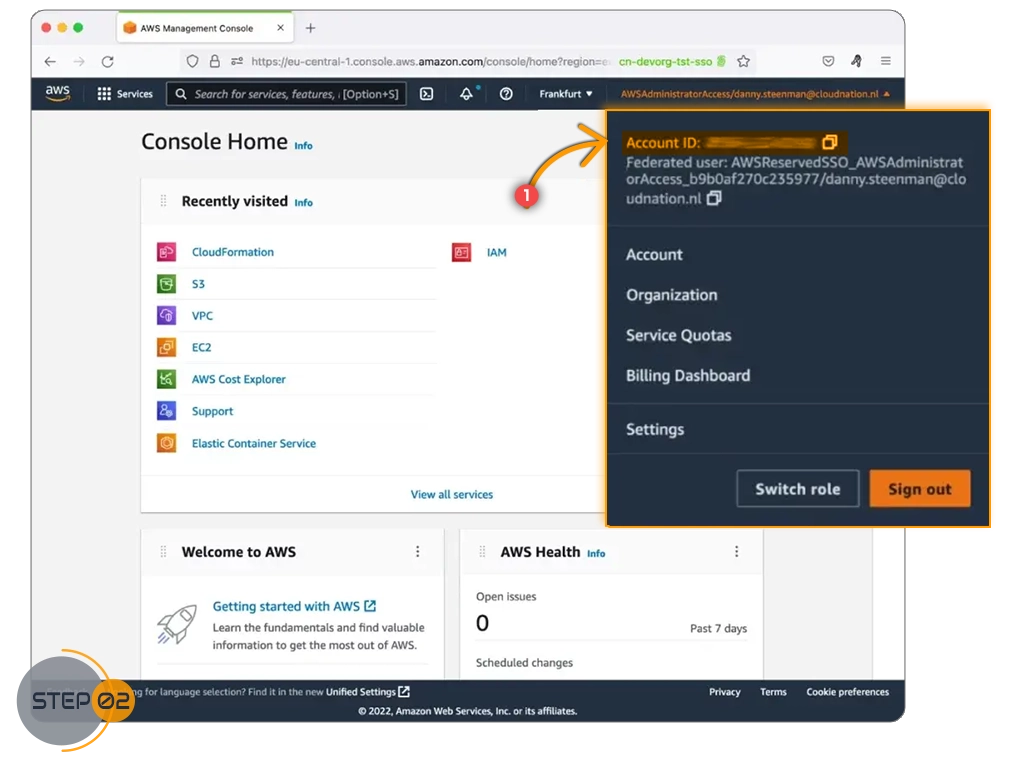
How to Find Your AWS Account ID
To monitor and track your cloud costs with Namirasoft Bill Watch, you need your AWS Account ID.
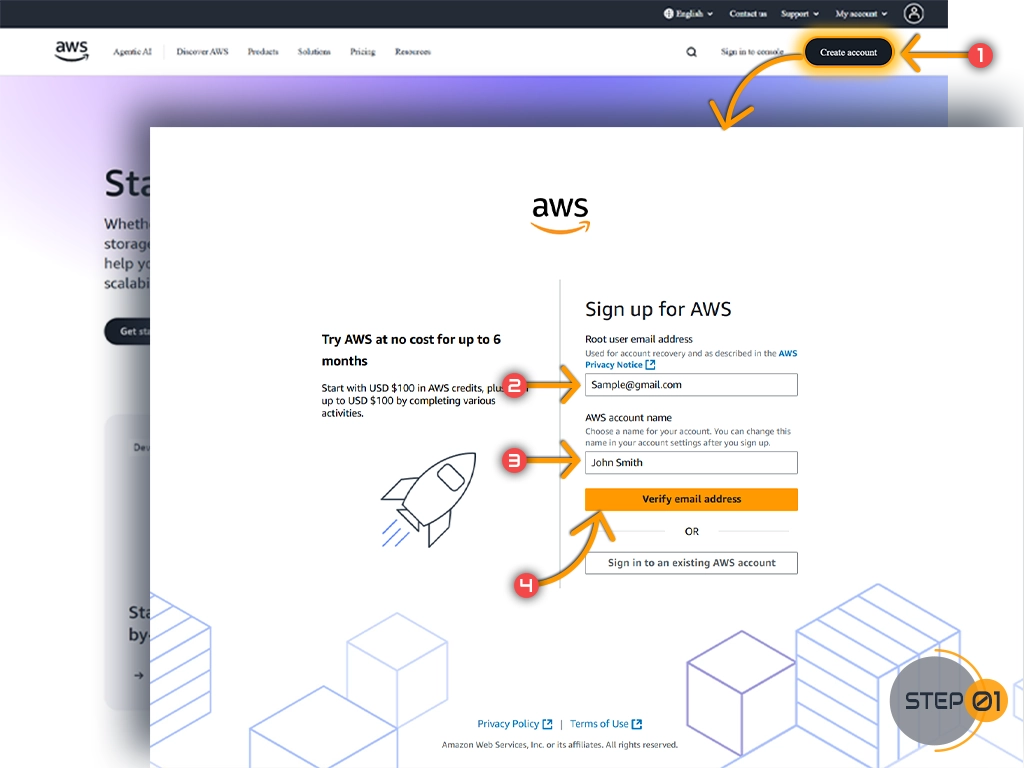
Follow the simple steps below to locate it quickly.
Step 2: Access Account Settings
Click your account name or icon in the top-right, select My Account, and find your Account ID under Account Settings.