
How Credential Works
Connect. Secure. Authenticate.
Namirasoft Credential is the secure link between your credentials and the Namirasoft applications that use them. It works with many kinds of credentials, and this step by step guide shows how they are stored, secured, and delivered.
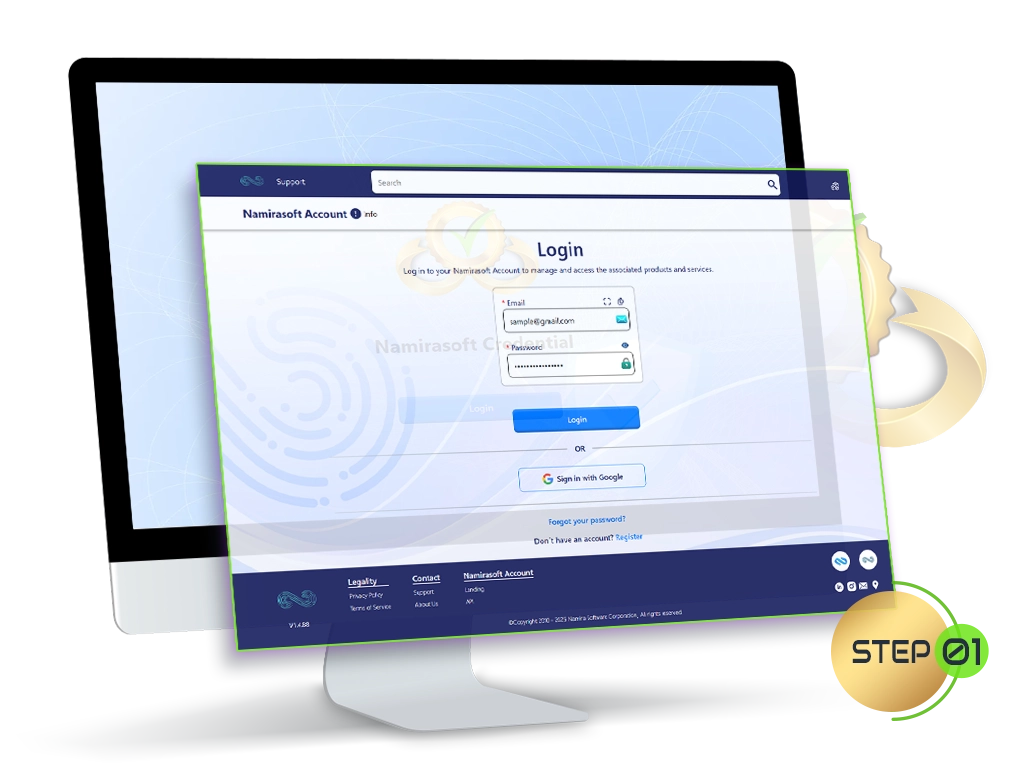
Step 1: Sign Up
Your journey starts by creating a Namirasoft Account. This single account gives you access to all Namirasoft apps, including Credential.
Step 2: Choose Your Credential Type
Create a New Credential in the Console
Once you have signed in, create your credential in the console.
- Go to the Namirasoft Credential Console
- Select the type of credential you want to create
- Choose Create from the menu


Step 3: Enter Your Credential Details
Step 4: Credentials Encrypted and Ready for Use
-
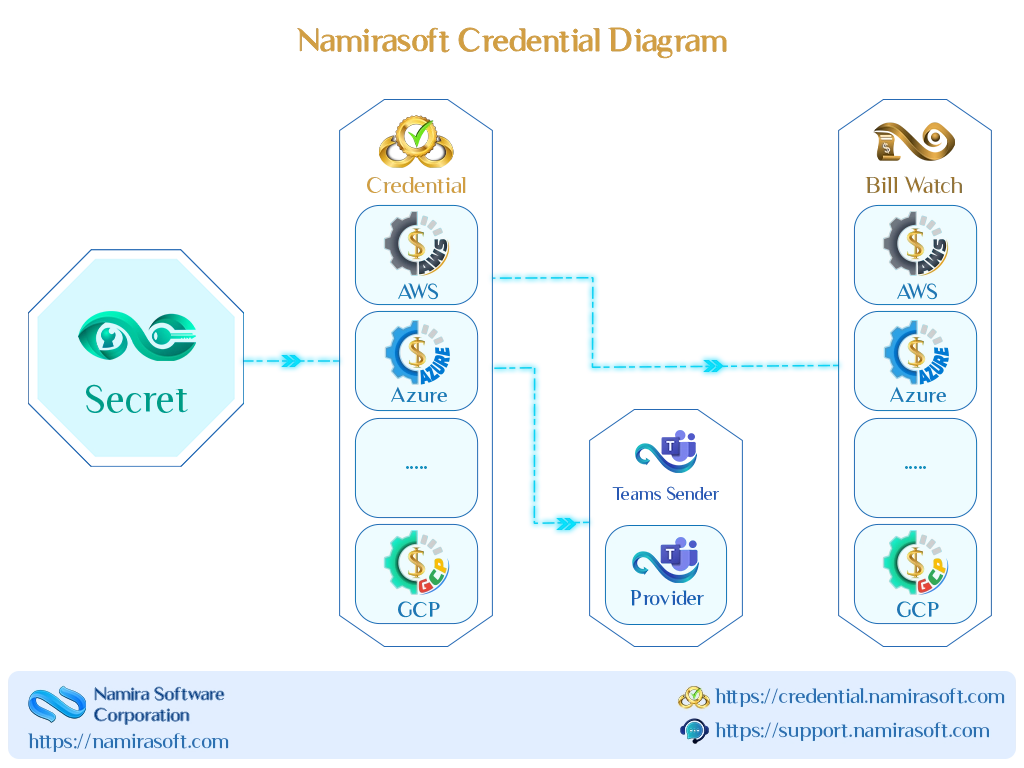
Namirasoft Secret stores credentials in encrypted form.
-
Namirasoft Credential retrieves the encrypted data and groups it into a credential record.
-
The Namirasoft applications you authorize can use these credentials securely whenever needed.

Ready to Take Control of Your Credentials?
How It Works FAQs
Answers to common questions about how to get started and use Namirasoft Credential.
1. Do I need to sign up before using Namirasoft Credential?
Yes. You must create a Namirasoft Account before accessing Namirasoft Credential. This account gives you access not only to Namirasoft Credential but also to all other Namirasoft products.

2. Does Namirasoft Credential store my sensitive data?
No. Sensitive information (like access keys, secrets, and credentials) is securely handled by Namirasoft Secret. Namirasoft Credential never stores sensitive data itself; it retrieves data from Namirasoft Secret when needed.
3. What credential types does Namirasoft Credential support?
You can store many kinds of credentials, such as cloud keys, database logins, source control tokens, and SSH keys. New types are added over time.
4. How do I set up a credential?
Choose your credential type in the steps above to open its step by step setup guide, which shows exactly what to enter and how to get it. For a full field reference, see the Console Guide.
5. How do Namirasoft applications access my credentials?
A Namirasoft application you authorize uses the Credential field to link to Namirasoft Credential, and retrieves the authentication data it needs through that connection.
6. Can I edit or delete a credential after creating it?
Yes. You can edit or delete your credential details anytime from the Namirasoft Credential Console.
7. Is there a limit to the number of credentials I can create?
There are currently no hard limits on the number of credentials you can create. You’re free to manage as many as your workspace or workflow requires.