Find Your Telegram Chat ID via API
Get the Chat ID for any user, group, supergroup, or channel using the official Telegram Bot API.
Use this method to retrieve your Telegram Chat ID through the official Telegram Bot API, which works for all chat types (standard groups, private chats, supergroups, and channels).
If you’re using a group with Topics enabled, you may alternatively use the Copy Message Link method, which can be a quicker alternative for topic-enabled groups.
Step 1: Create or Access Your Bot
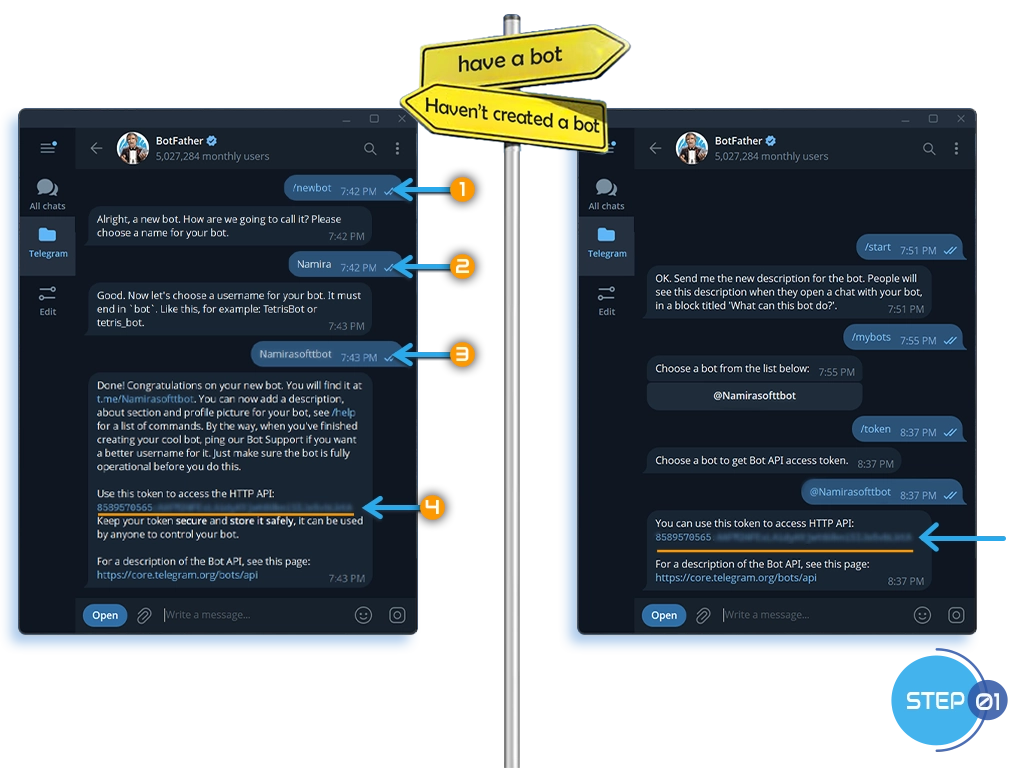
Already have a bot?
- Open your chat with @BotFather.
- Look for the token you originally received.
- If it is missing, send /token and select your bot to generate a new one. (Note: this invalidates the old token.)
Haven’t created a bot yet?
- Open a chat with @BotFather.
- Send /newbot and follow the prompts.
- BotFather will provide the new bot’s API token.
Step 2: Disable Privacy Mode
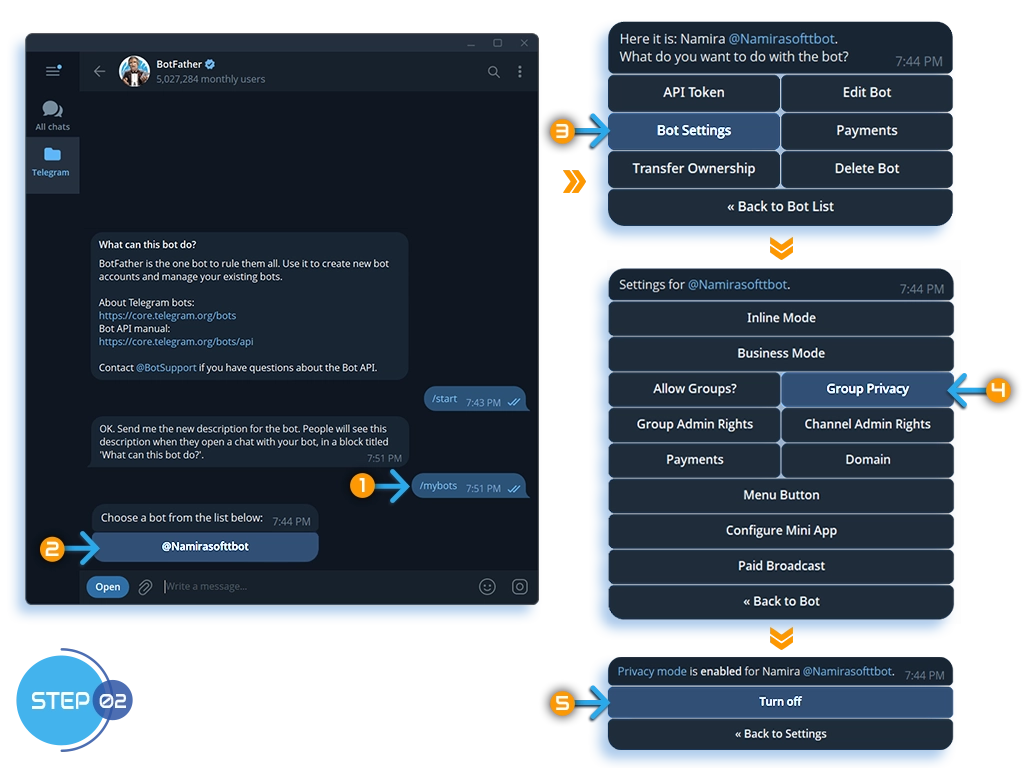
This step applies to groups and supergroups only. Disabling Group Privacy lets your bot read messages in the chat. You can skip it for private chats and channels.
- Open your chat with @BotFather.
- Send /mybots.
- Select your bot, then go to Bot Settings, Group Privacy.
- Turn it off.
Step 3: Add the Bot to the Chat
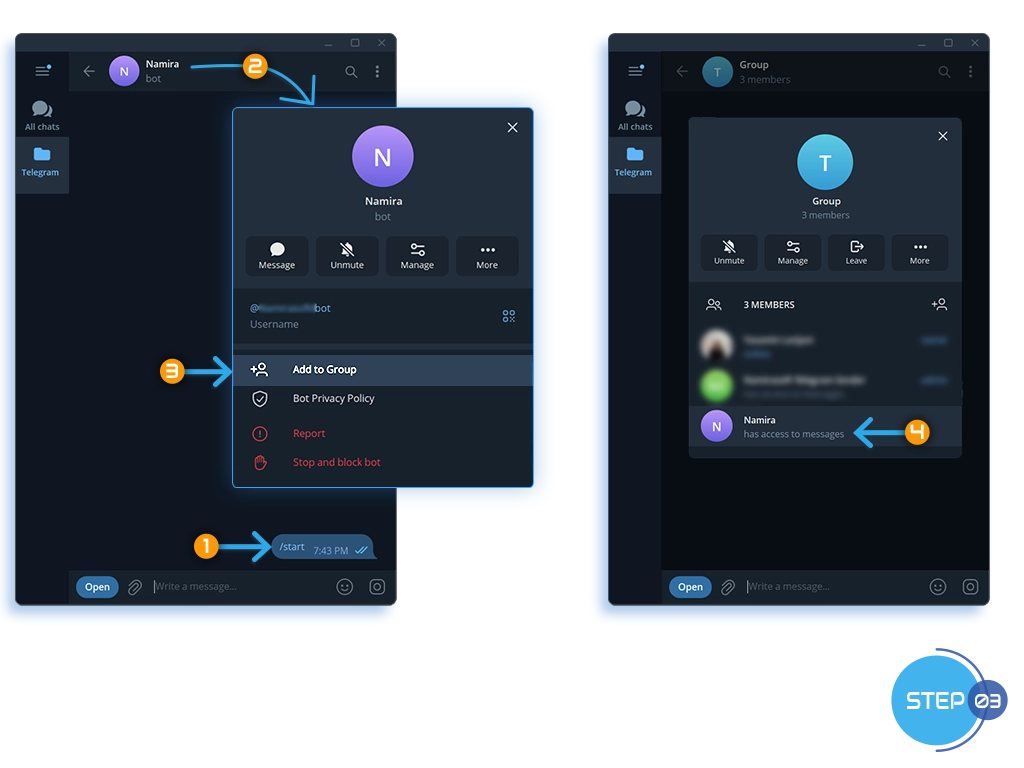
In Private Chats:
- Open a conversation with your bot and send /start.
In Group or Supergroup:
- Add your bot to the group.
In Channels:
- Add your bot as a channel administrator.
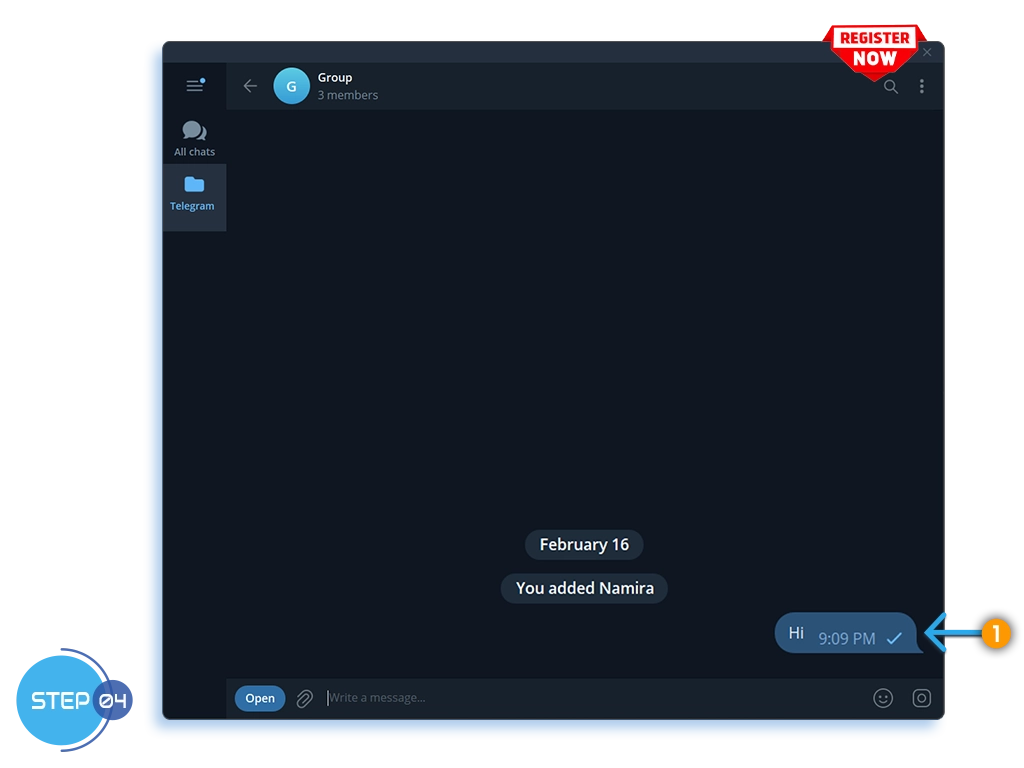
Step 4: Send a Test Message
- In the chat (private, group, or channel), send any text message.
Why this matters: Telegram can only return chats that have interacted with the bot. Sending a message ensures the chat appears in the API response.
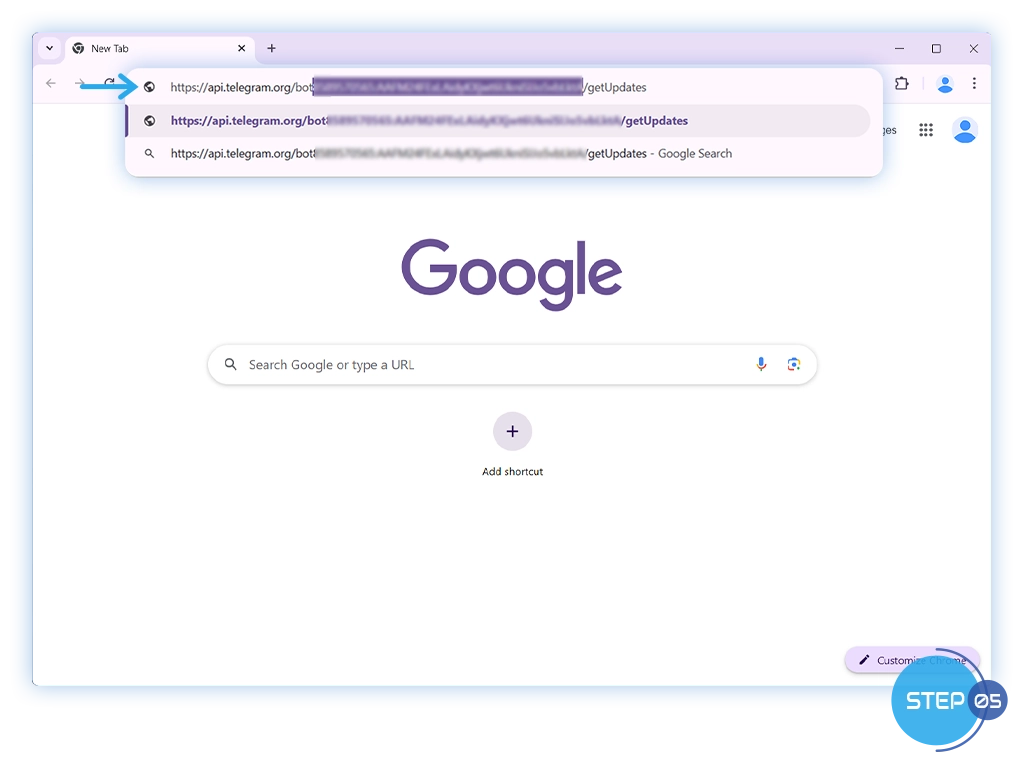
Step 5: Get Updates via Telegram API
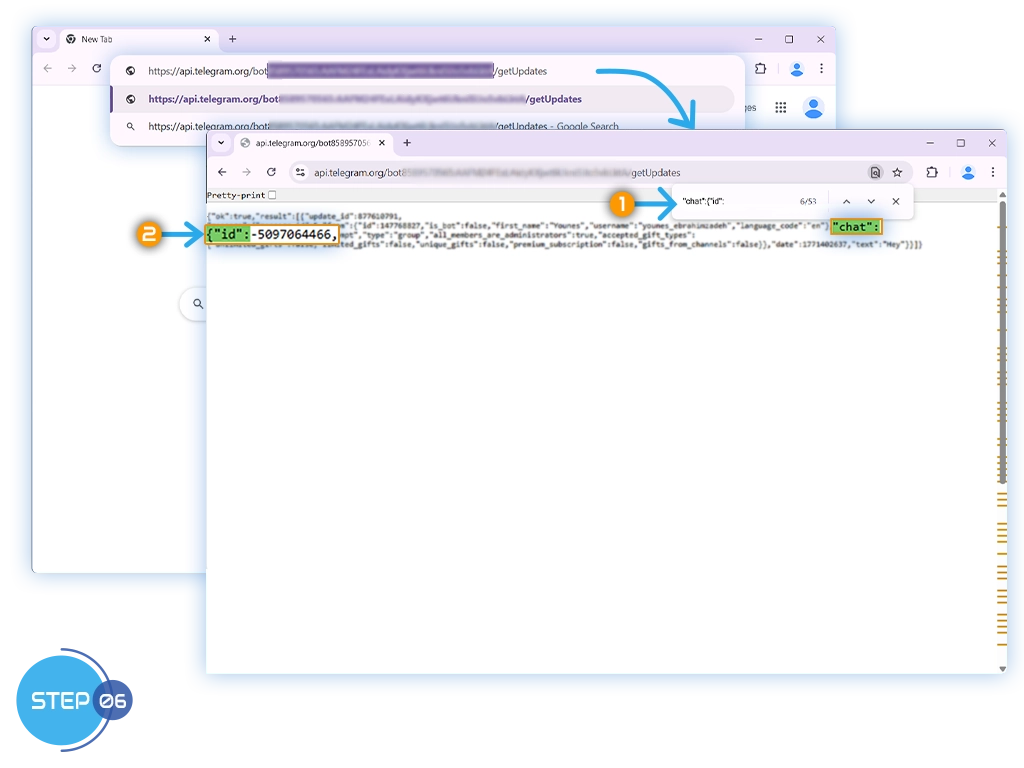
- Open your browser and visit this URL. Replace
<YOUR_BOT_TOKEN>with your bot’s API token:
https://api.telegram.org/bot<YOUR_BOT_TOKEN>/getUpdates
- For example, with a real token it looks like this:
https://api.telegram.org/bot123456789:AAExampleToken123456789/getUpdates
If the result is empty ({"ok":true,"result":[]}), check that:
- The bot was added to the chat.
- A message was sent after adding the bot.
- Privacy Mode is disabled when using groups.
Step 6: Copy the Chat ID
The JSON response may contain multiple messages and chats.
- Look for the entry that matches your chat title or username.
- Find the
chatobject that matches your destination, then copy the value ofchat.id.