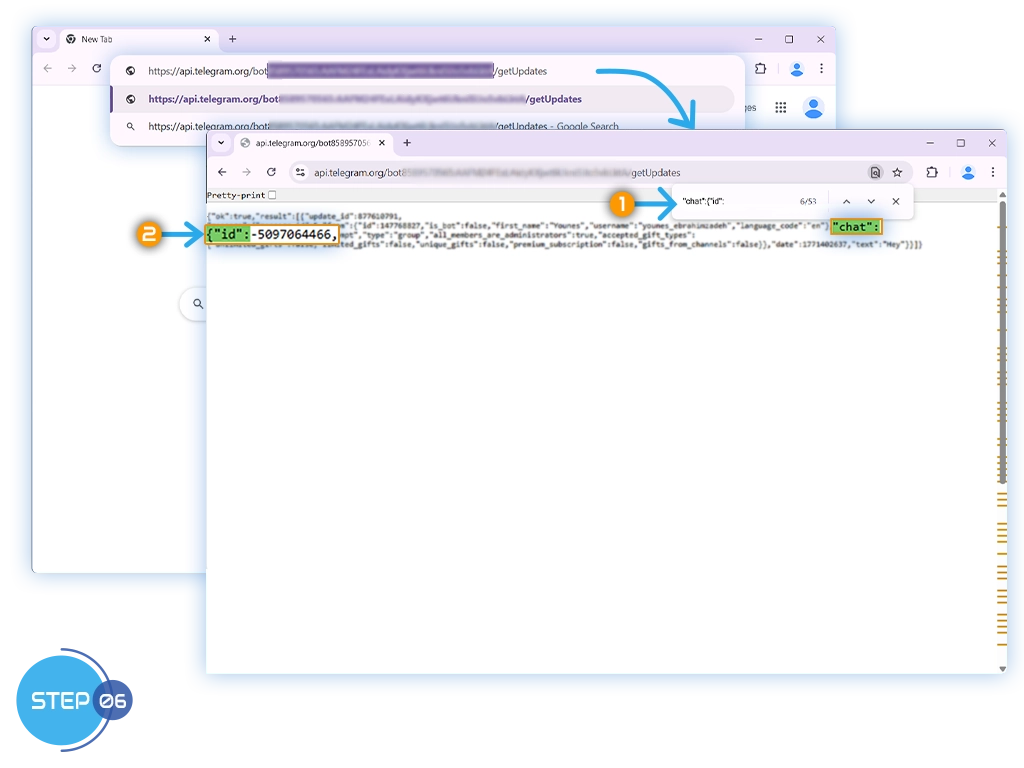
Find Your Telegram Chat ID via API
Use this method to retrieve your Telegram Chat ID through the official Telegram Bot API, which works for all chat types (standard groups, private chats, supergroups, and channels).
if you’re using a group with Topics enabled, you may instead follow the Copy Message Link method.
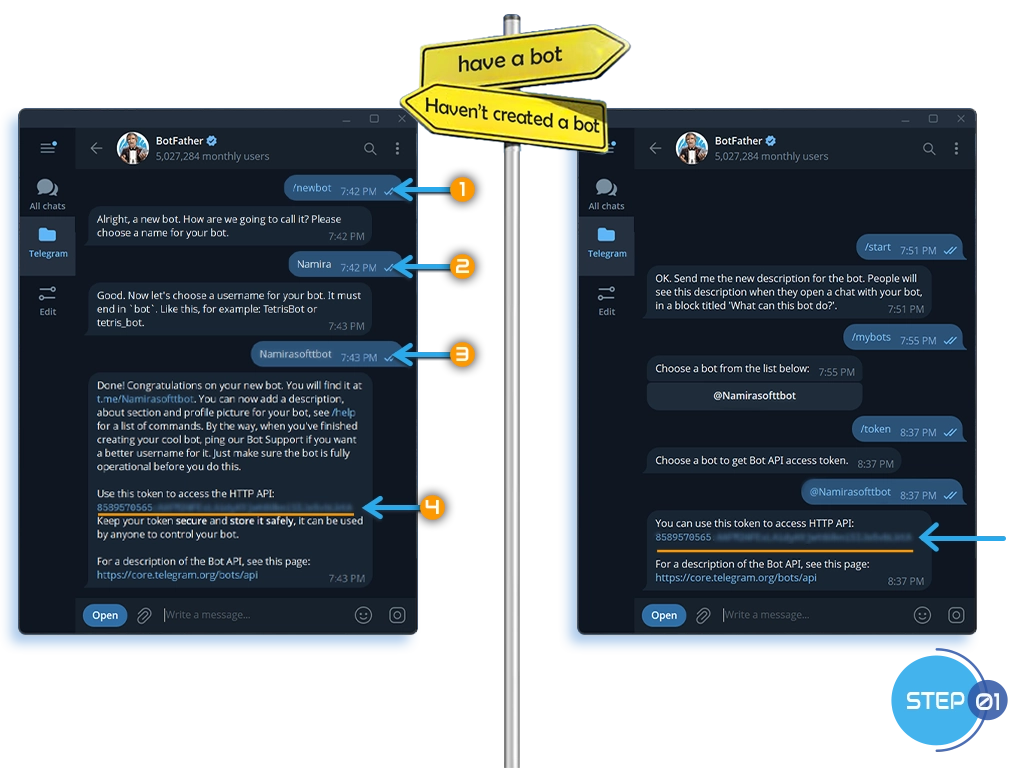
Step 1: Create or Access Your Bot
Already have a bot?
- Open your chat with @BotFather.
- Look for the token you originally received.
- If it’s missing, send /token in the chat and select your bot to generate a new one. (Note: this will invalidate the old token.)
Haven’t created a bot yet?
- Open a chat with @BotFather.
- Send /newbot and follow the prompts.
- BotFather will provide the new bot’s API token.
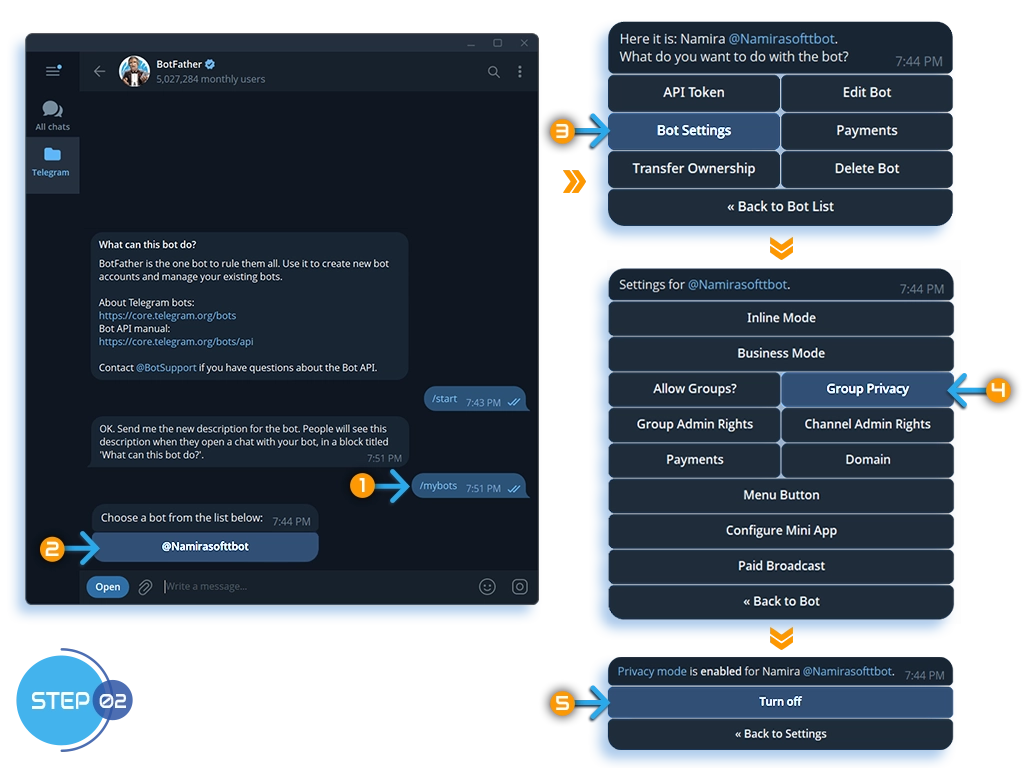
Step 2: Disable Privacy Mode
- Open your chat with @BotFather.
-
Send: /mybots
-
Select your bot & Go to: Bot Settings → Group Privacy
-
Click: Turn off
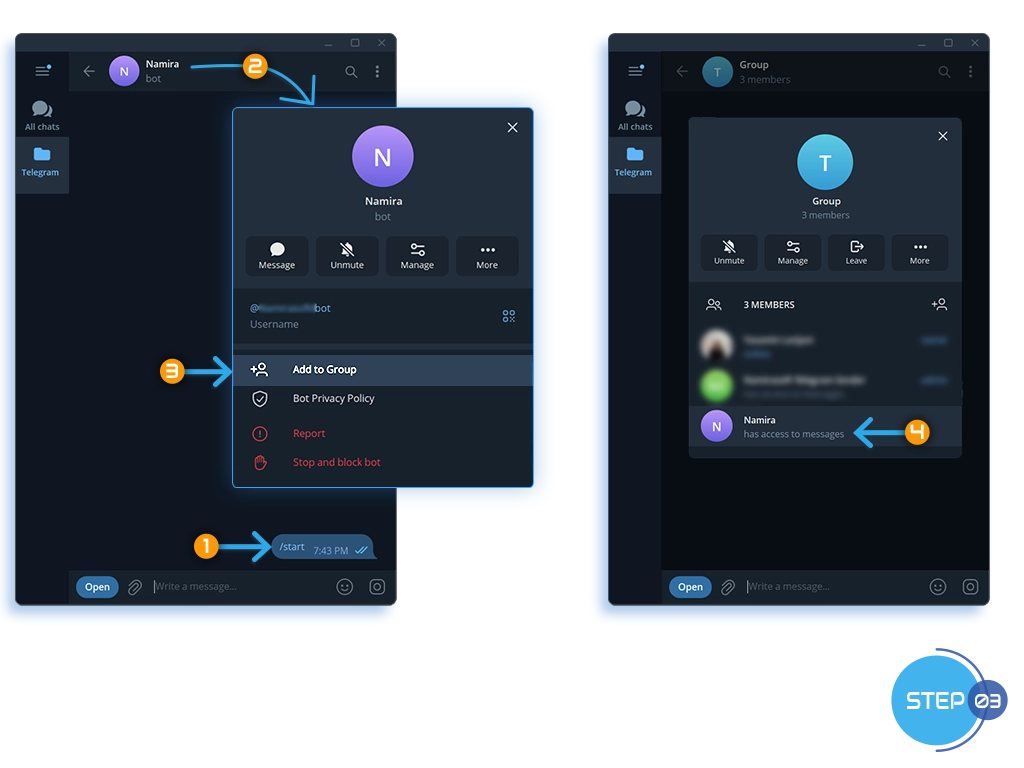
Step 3: Add the Bot to the Chat
In Private Chats:
-
Open a conversation with your bot & Send: /start
In Group or Supergroup:
-
Add your bot to the group.
In Channels:
-
Add your bot as an Administrator with permission to read/send messages.
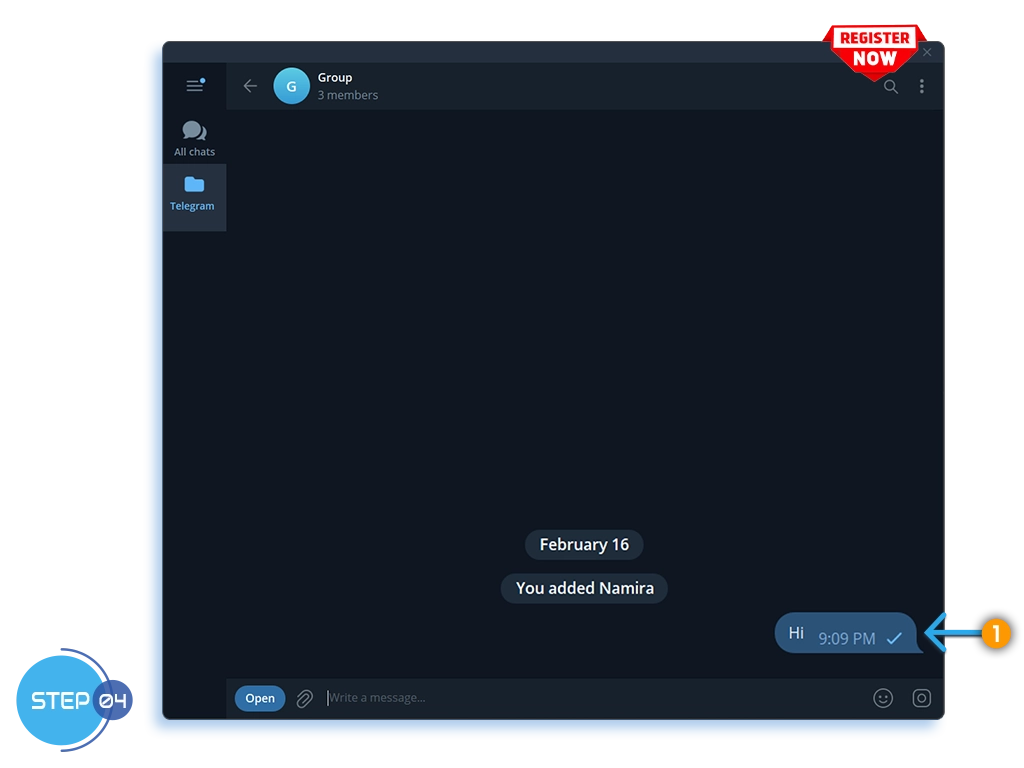
Step 4: Send a Test Message
-
In the chat (private, group, or channel), send any text message.
This registers the chat with your bot so the API can return it.
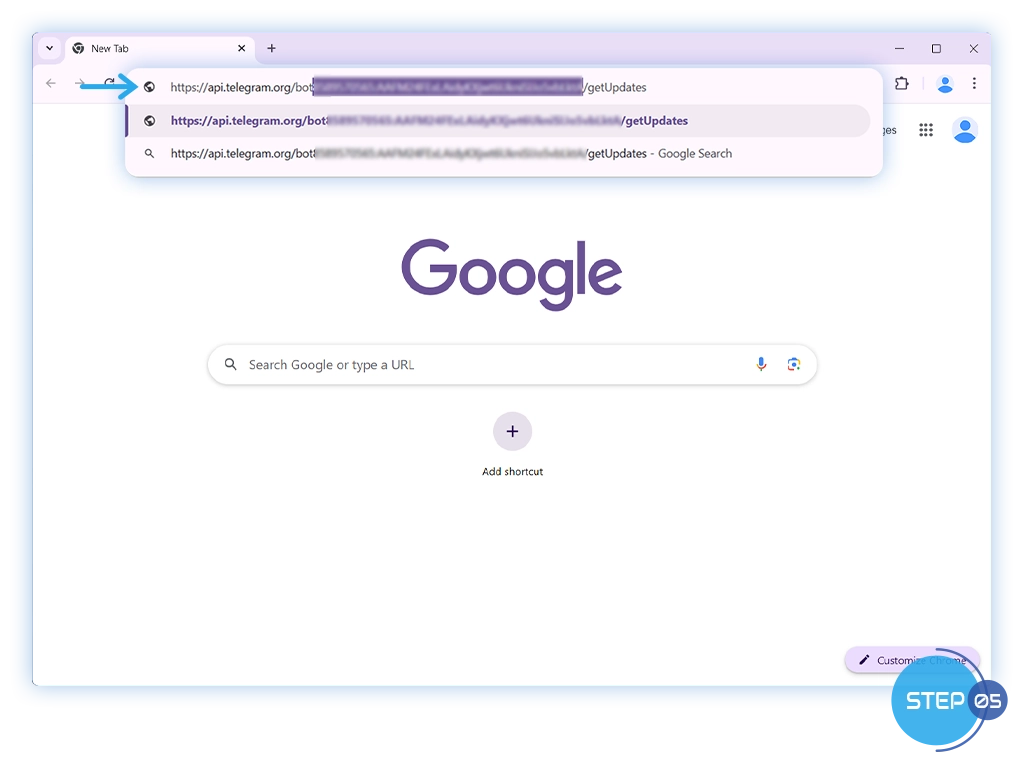
Step 5: Get Updates via Telegram API
-
Open your browser & Visit:
https://api.telegram.org/bot<YOUR_BOT_TOKEN>/getUpdates
-
Replace
<YOUR_BOT_TOKEN>with your bot’s API token. Like this:
https://api.telegram.org/bot123456789:AAExampleToken123456789/getUpdates
Step 6: Copy the Chat ID
The JSON response may contain multiple messages and chats.
-
Look for the entry that matches your chat title or username.
Next: Follow the steps on the Telegram Sender – How It Works page to connect your Telegram chat to Namirasoft Telegram Sender and start sending messages through your workflow.