
How Message Works
See what’s happening across Namirasoft
Learn how to quickly check and view internal system messages across all Namirasoft applications.
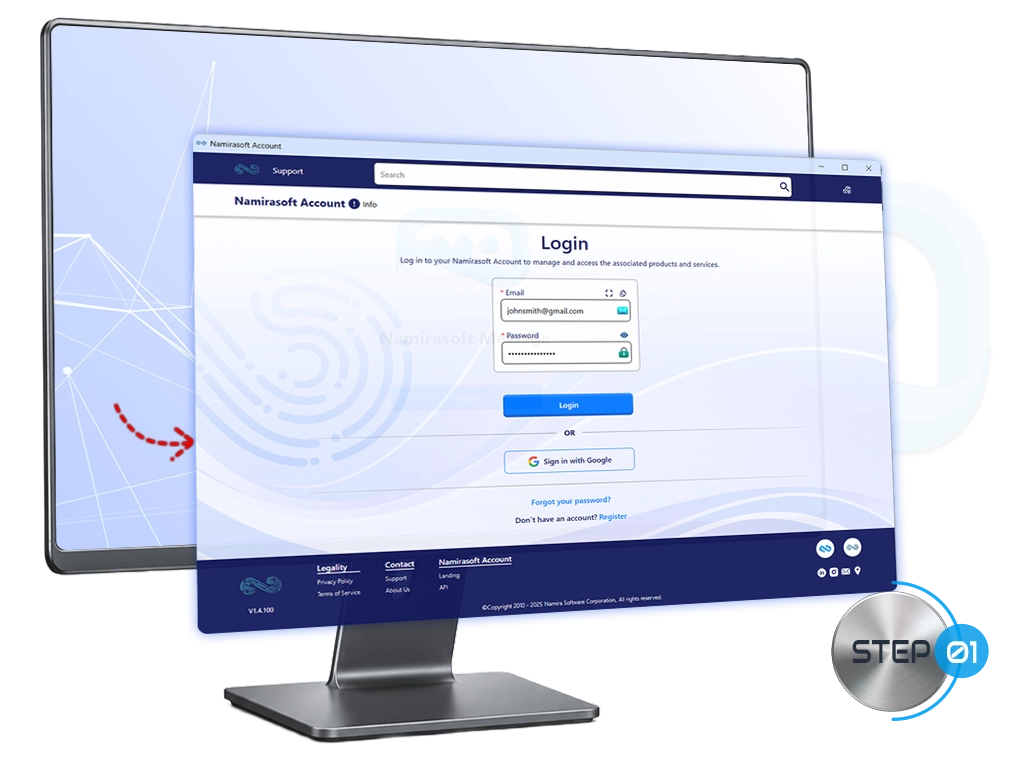
Step 1: Log In
Log in to Namirasoft Message or any other Namirasoft application using your Namirasoft Account.
Step 2: Check Your Notifications
The message icon appears at the top right of all Namirasoft application consoles. A badge on the icon shows the number of new internal system messages, no matter which console you are using.
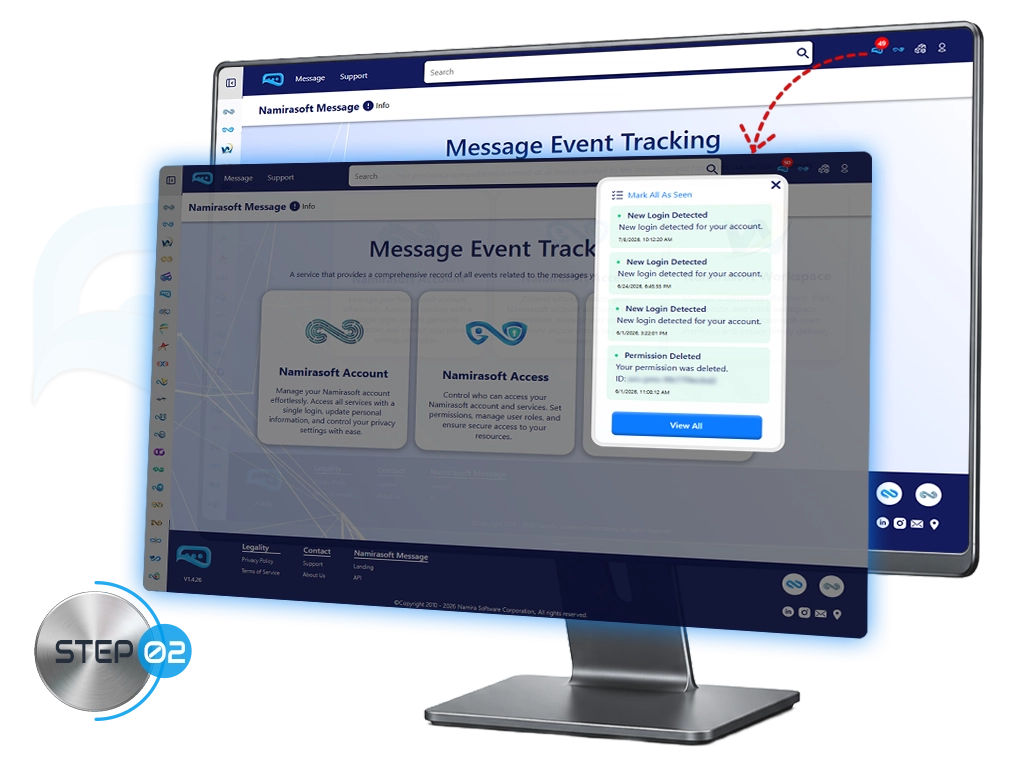
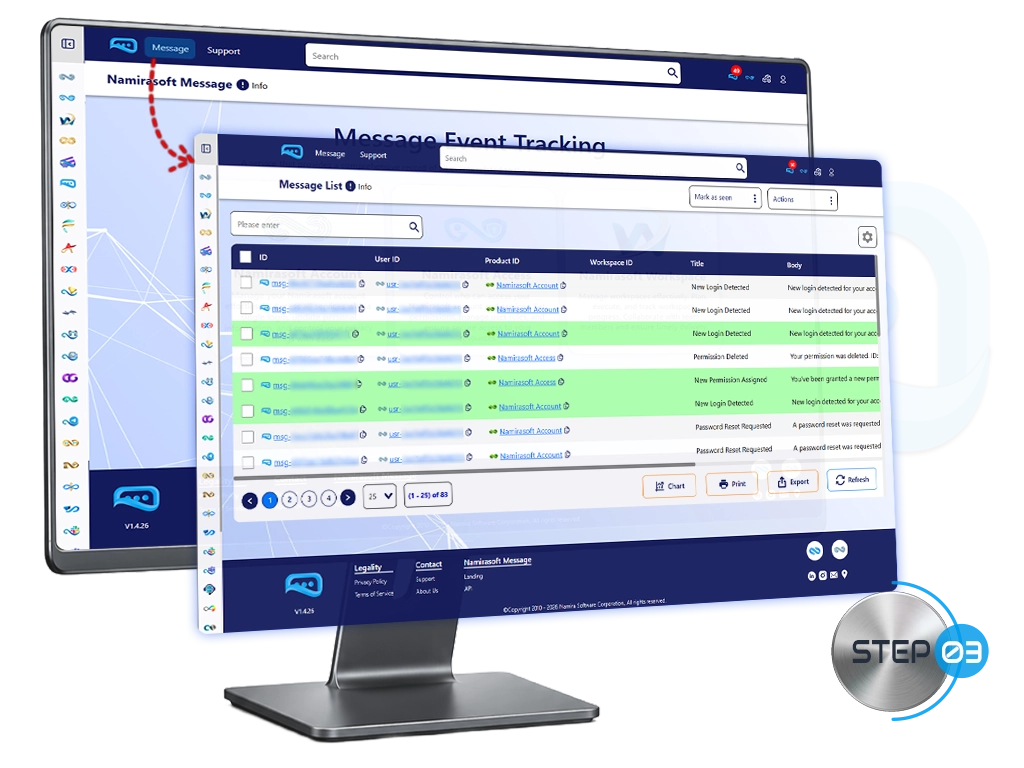
Step 3: View Your Messages
-
Click the message icon to read messages directly within the application.
-
For full details, click the message to open the Namirasoft Message Console.
How It Works FAQs
Answers to common questions about how to get started and use Namirasoft Message.
1. Do I need a Namirasoft Account to use Namirasoft Message?
Yes, you must log in with a Namirasoft Account to access all Namirasoft applications and view internal system messages across the ecosystem.

2. Where can I see my notifications?
Notifications are visible at the top right of all Namirasoft application consoles. A badge on the icon shows the number of new internal system messages.
3. Can I read messages without opening the console?
Yes, you can read messages directly within any Namirasoft application using the message icon.
4. How do I see full message details?
Open the Namirasoft Message Console to view the complete details of each message.
5. Are messages synced across all Namirasoft applications?
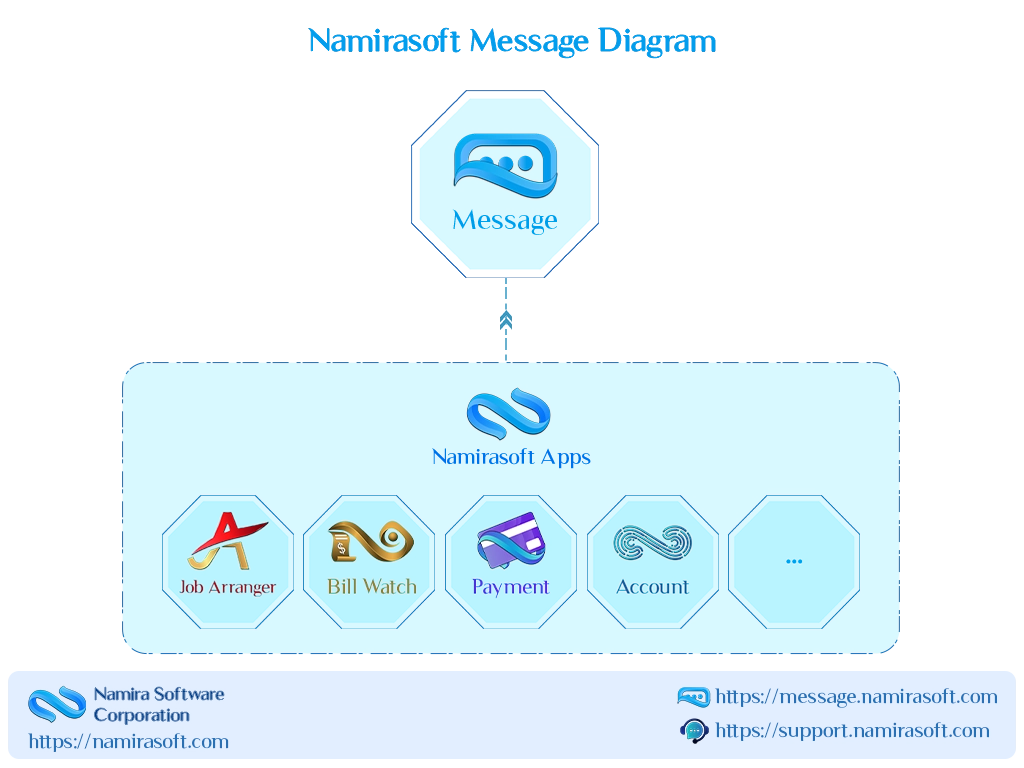
Yes, internal system messages are available across all Namirasoft applications for your account.
6. Do I need to log in to each application separately to see messages?
No, logging in to any Namirasoft application with your Namirasoft Account lets you see messages across the ecosystem.
7. What types of messages will I see?
You will see internal system messages related to account activity, permissions, session changes, and other core events within the Namirasoft ecosystem.
Are you ready to stay informed across all Namirasoft applications?